

Trade · Construction · Real Estate · Field Service · GDPR · 100% Offline
Digital Forms for Field Service and Trade Businesses
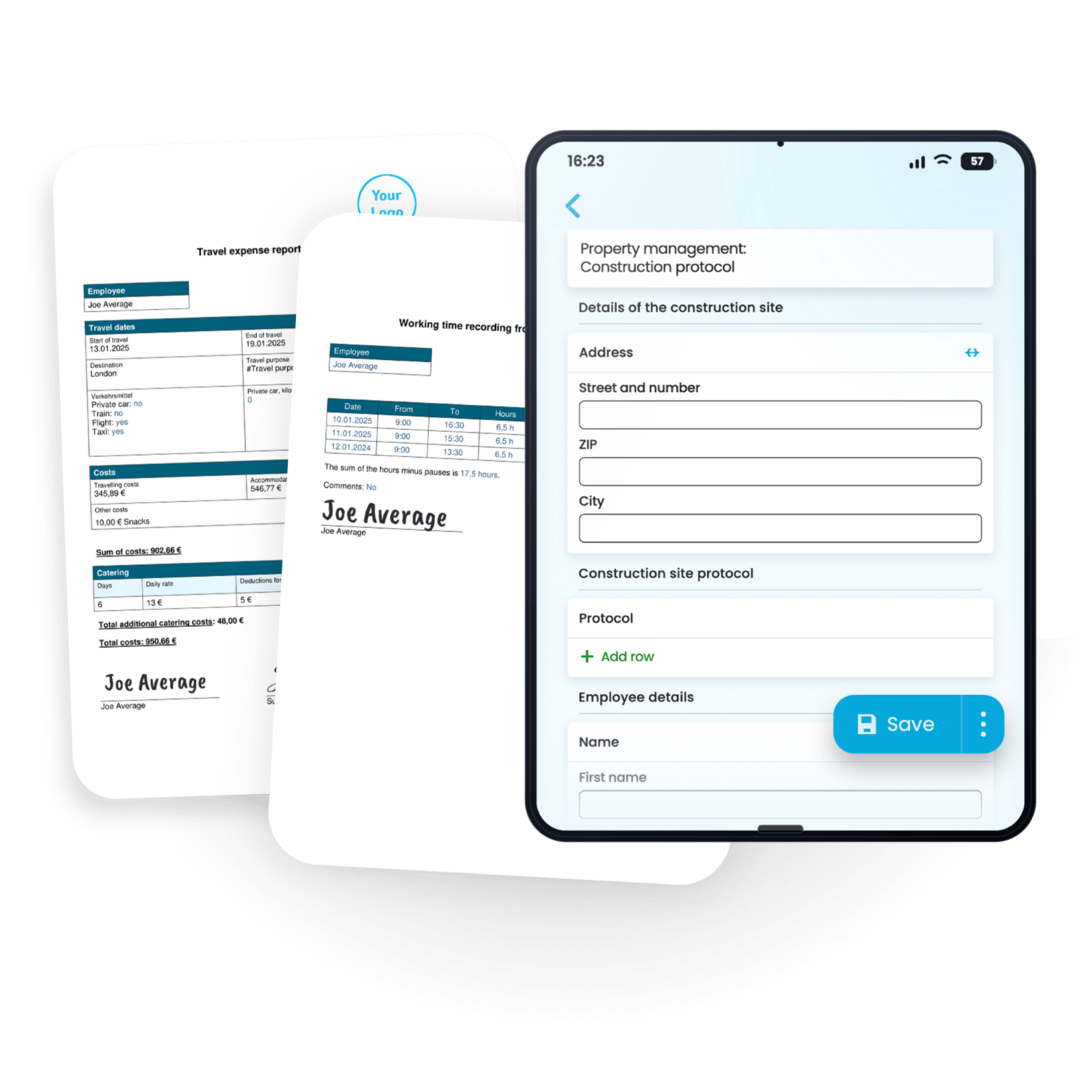
Reports, checklists, handover protocols — captured directly on site. The finished PDF lands in the office automatically.
- Fill in once, done — no retyping
- No paper chaos, no missing photos
- Fewer errors in the workflow
- PDF sent automatically — same day, on site



How Formtastic works
From an empty form to a finished PDF in your inbox — all in one flow.
Create the form
Drag and drop, ready in minutes. 50+ ready-made templates or build your own — no developer needed.
Fill it in on site
Your team opens the app and fills in the form — with photo, signature and GPS. 100% offline.
PDF arrives automatically
Before the technician is back in the van, the finished report is in the inbox — sent automatically by email.
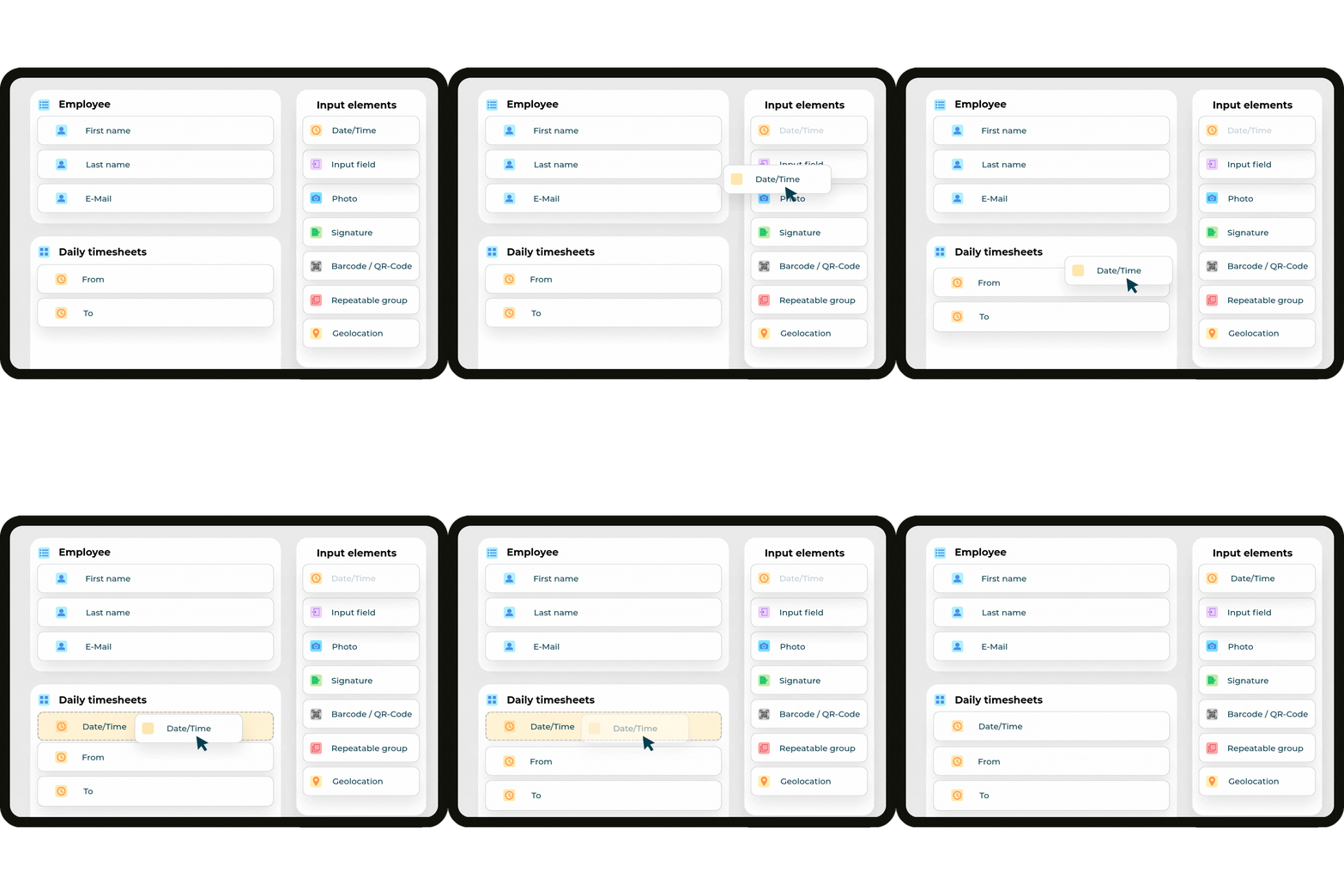
Build your own forms — with drag & drop, in minutes
No developer needed. Choose fields, arrange them, done. From a simple checklist to a multi-page job order form.
Every field type you need
Text, photos, date/time, signatures, barcode, QR code and GPS location — all combinable in one form.
Built for real workflows
Handover protocols, defect reports, daily timesheets — build templates that fit your business.
Built — and ready to use instantly
Your team fills in forms directly on site — structured, legible, and with zero double work back at the office.
What changes when the paper disappears
Three measurable changes our customers in trade, construction and property management already see within the first few weeks — with digital forms instead of paper documentation.
- Loose notes in the toolbox
- Photos scattered across WhatsApp chats
- Typing it all up at the desk in the evening
Photos, notes, readings, GPS and signature — captured directly on site.
- Illegible handwriting
- Coffee stain on the report
- Arrives days later by post — or not at all
Company logo, photo and signature — in the customer's inbox right after the appointment.
- Typing reports instead of going home
- Matching photos to reports by hand
- Filing, archiving, duplicate work
PDF with the recipient before the technician is back in the van — sent automatically by email.
Ready-made templates for your industry
Whether it's trade, property management or field service — start with a proven template. Adjust it, get going, done. You can adapt any template to your business in minutes.
No time to set it up? We'll do it for you.
Send us your forms as a PDF, Word file or photo. Within a few business days, you'll receive finished digital templates — ready for your team to use.
50+ businesses · real results
What trade businesses, property managers and field technicians say after their first few weeks.

Wichmann GmbH
„Even during onboarding, it was clear how versatile and user-friendly Formtastic is. It noticeably makes our day-to-day work easier.“

Lahn-Apotheke
„The protocols for our medication blister-packing now run digitally – no more paper chaos, and the data reaches head office immediately.“
Frequently Asked Questions
Everything you'd want to know before getting started. We're happy to answer any further questions personally.
How difficult is it to switch from paper to digital forms?
Easier than you'd think. You transfer your existing forms into Formtastic 1:1 — via drag & drop, no coding needed. If you don't have time for that: we'll set up your first forms for you, free of charge, so your team can start right away.
Do my employees need special training?
No. The app works just like a digital form to fill in — anyone who can use a smartphone will get the hang of it right away. Most teams work productively from the very first job, with no onboarding needed.
Does Formtastic work without an internet connection?
Yes, 100%. Whether it's a basement, a construction site, or an underground garage with no signal — forms can be filled in offline. As soon as a connection is available again, the app syncs automatically in the background.
How secure is my data?
GDPR-compliant and stored entirely on servers in Germany, with encrypted transmission (TLS). Your data is never shared with third parties — especially important for property managers and trade businesses handling sensitive customer data.
Can Formtastic connect to our existing systems?
Yes. Finished PDFs and Excel files can be sent automatically by email, or synced directly with Google Drive, Google Sheets, and via SFTP/FTP with your own server. Webhooks can also automatically pass data to connected systems, tools, or custom workflows — with zero manual effort.
How much does Formtastic cost after the 14-day trial period?
Our plans are flexible and based on the number of users, starting at just €24 per month. There are no setup fees and no hidden costs. After your free trial ends, simply choose the package that fits your team size on our pricing page—with no long-term commitment and fully adjustable on a monthly basis.
What if I need help?
You're never on your own. Our support team responds personally by phone or email, and we even help set up your first forms free of charge — so you're productive from day one.
Get started now
Your next job.
Paperless.
14 days free · No contract · Your first form set up for you