
Digital checklist template · fully customizable
Checklist app.
Tick off checkpoints on site.
With photo and signature.
- For trades, service, facility management & property management
- Web portal plus app for iOS & Android
Try free for 14 days · then choose the right plan
 Fully customizable
Checklist
Signature employee · Signature customer
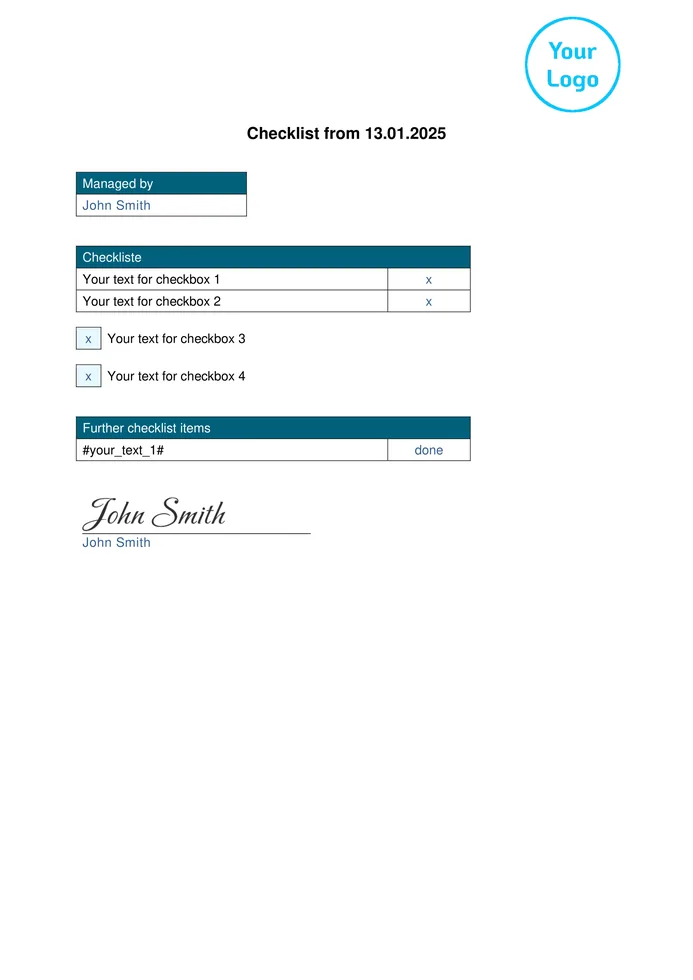
Checklist
Checkpoints, status, remarks & signature · PDF & Excel
View preview →Every checklist.
All in one template.
The Formtastic “Checklist” template is the starting point for your digital checklist. Add your own checkpoints and adapt the fields for the person completing it, date, status, remarks and signature to the way you work.
- Define your own checkpointsWhether maintenance, site inspection, cleaning or handover: you decide which points are ticked off and in which order.
- Tick off step by stepEach point is marked as done on site. The person completing it and the date appear on the report.
- Add photos and notes directlyRecord defects or anything unusual with a photo and a remark right at the point they belong to.
- Get it signed on siteThe employee or customer confirms the checklist with a signature directly on the device.
After signing up for free, select the template in the Form Designer and adapt it to your business.
Your existing checklist — digital and customizable without coding.
Create a new digital checklist in the Formtastic web portal or carry over the layout of your current paper, PDF or Word checklist. Fields and workflows can be adjusted with drag & drop in the Form Designer.
Edit form template
Prepare in the web portal.
Tick off on site. Review in the office.
The digital checklist combines central template management in the web portal with mobile capture on site. After syncing, the results are ready in the office as a PDF and for Excel export.
- Prepare
Set up the checklist in the web portal
Select the “Checklist” template, add checkpoints in the Form Designer or carry over your existing checklist digitally.
- Record on site
Work through the checklist on mobile – even offline
Employees tick off the points in the Formtastic app for iOS or Android, add photos and notes and have the checklist signed right on site. Forms that are already on the device can also be completed without an internet connection.
- Continue in the office
Provide the checklist as PDF and Excel
As soon as an internet connection is available again, the data is synced. The checklist can then be sent as a PDF by email and the captured data exported as an Excel file.
Digital protocols. In everyday use.

“The protocols for our medication blister-packing now run digitally – no more paper chaos, and the data reaches head office immediately.”


Then we’ll set up your first digital checklist for free.
Send us your existing checklist as a paper form, PDF, Word file or photo. We recreate the layout and checkpoints in Formtastic and set up your first digital template, ready for your team to use.
A plan for every team size.
Start with the features your workflow needs. You can switch to a larger plan at any time.
Solo
Billed annually: €24/month
For individual users who manage digital forms, jobs and records themselves.
- Unlimited templates, jobs and PDFs
- Offline mode and multilingual forms
- PDF, Excel, CSV and media export
- Optional Solo Premium: email sender & Smart Import
Team
Billed annually: €82/month
For small teams that assign forms, work on them together and review them.
- Everything in the Solo base plan
- 5 users included
- Form assignment & review
- Role & permission management
- Custom email sender & Smart Import
Enterprise
Billed annually: €124/month
For companies with larger teams and growing digital workflows.
- Everything in Team
- 10 users included
- All business features included
- Additional users €10/month per licence
- Additional licence costs capped at €500/month
All prices plus statutory VAT · With annual billing, 2 months of the base plan are free.
Questions about the digital checklist with Formtastic
Clear answers on use cases, photos, offline capture, export and data security.
What is a digital checklist?
A digital checklist replaces the paper list on the clipboard: employees tick off checkpoints on a smartphone or tablet, add photos and remarks and have the result signed. The finished document no longer needs to be retyped or scanned in the office.
Which checklists is Formtastic suitable for?
For all recurring checks and routines, for example maintenance, site inspections, cleaning, handovers or internal audits. Besides the general checklist, the template gallery includes a 5S checklist, an employee onboarding checklist, a building inspection and a handover protocol, among others.
Can I add photos and remarks to individual points?
Yes. Photo and text fields can be added anywhere in the checklist in the Form Designer, for example directly below a checkpoint. Photos are taken directly in the app.
Can fields appear only when needed?
Yes. Fields can be given visibility conditions, for example a field for describing a defect that only appears when a point is not OK.
Can I try Formtastic free for 14 days?
Yes. You can try Formtastic free for 14 days. To keep using it, you then choose a paid plan. Current features and terms are on the pricing page.
Does the checklist work without internet?
Yes. Forms that are already on the device can be filled in offline in the Formtastic mobile app for iOS and Android. As soon as an internet connection is available again, the data is synced. A connection is needed for the transfer to the web portal and for automatic delivery.
Can I use my existing checklist?
Yes. You can adapt the “Checklist” template in the Form Designer or use your existing paper, PDF or Word checklist as the basis. Formtastic helps you set up your first digital template free of charge.
How does the checklist get to the office and the customer?
After syncing, the data is available in the web portal. Depending on the template settings, the checklist is sent as a PDF or Word file by email, for example to the office and to the customer. You decide on the file name and recipients, and you can design the layout with your own Word template. The data can also be exported as an Excel file.
How secure is my data?
GDPR-compliant and stored entirely on servers in Germany, with encrypted transmission (TLS). Your data is never shared with third parties — especially important for property managers and trade businesses handling sensitive customer data.
Tick off checklists digitally. No retyping.
Set up the customizable checklist template in the web portal, tick off checkpoints on site and make the signed checklist available in the office as a PDF after syncing.
Try free for 14 days · then choose the right plan · get your first template set up for free