
For Facility & Cleaning Services
Every site documented properly,
without paper on the cleaning cart.
Capture cleaning records, inspection rounds, damage reports and working hours directly on site — whether you run building cleaning, caretaker services or technical facility management. Photos, times and signatures stay with the right property — and the finished PDF goes automatically to the office and to your client.
A digital workflow built for cleaning and facility teams.
You capture the work on site, Formtastic takes care of the rest: record, PDF, handover to the office.
Choose a digital template
Create your own template or digitize an existing cleaning schedule and adapt it to your properties.
Complete it on site
Capture completed areas, times, photos, defects, GPS, barcode/QR data and signatures on site — even without signal in basements or stairwells.
Submit complete documentation
Required fields automatically check that everything is complete — no follow-up calls because an area or a signature is missing.
Finished documentation
PDF/Word, Excel, email, Google Drive/Sheets, SFTP/FTP or webhook — without retyping anything back at the office.
The site is clean. The proof isn't done yet.
Paper checklists, photos on personal phones, hours on scraps of paper — later, the office has to piece everything back together before the client gets their proof.
Scattered everywhere — nothing at hand
- Cleaning and inspection lists in folders and on site
- Photos and damage reports spread across different channels
- Hours and records retyped later
- Different lists for each site and team
Centralized and consistent
- Create and manage lists centrally
- One current template for every site and team
- Photos, times, defects and signatures in one record
- Finished record sent automatically to the office and the client
Your existing forms — digital and customizable with drag & drop.
Bring over the cleaning schedules, checklists and records your business already uses, and adapt them to your properties in the Form Designer.

Edit form template
Three hand-picked templates for facility & cleaning services to get you up and running fast.
Start with a proven template and tailor it to your properties.
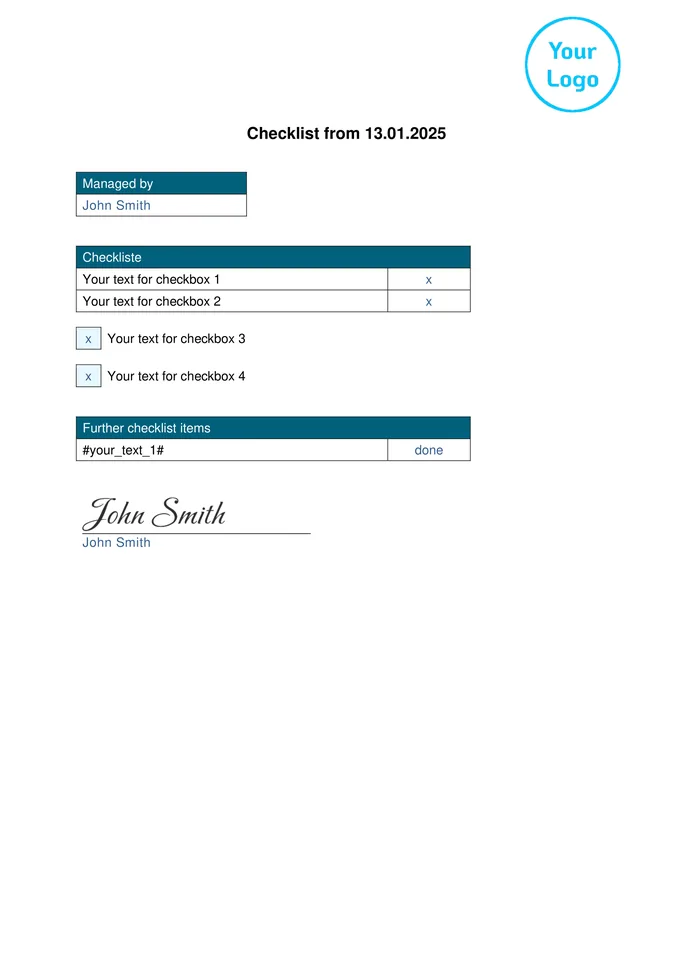
Checklist
Tick off areas and checkpoints for each site, add a signature, and your proof is done.
View preview →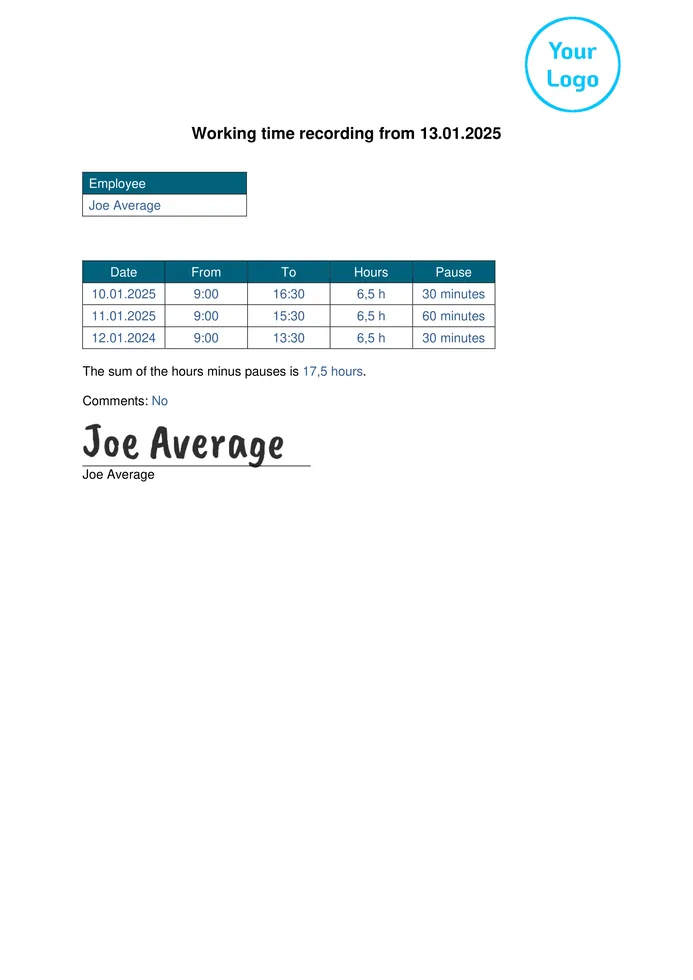
Working Time Recording
Record start, finish and breaks for each shift, hours are calculated automatically.
View preview →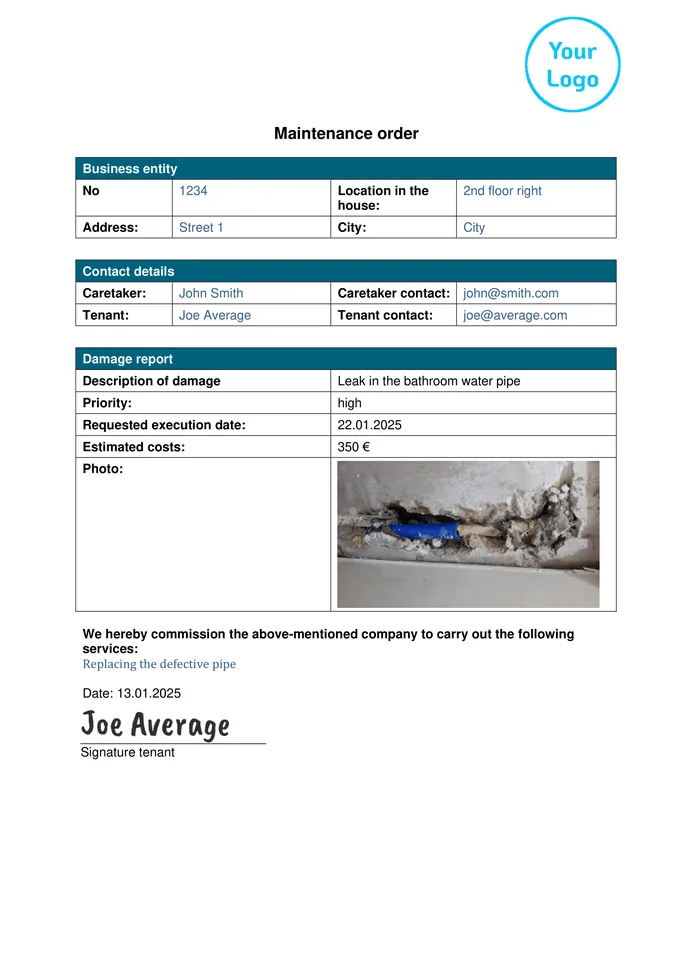
Maintenance Order
Report damage with a photo and priority and pass the order straight to a contractor.
View preview →We’ll set up your first template for free.
Send us the cleaning schedule, inspection list or paper, PDF or Word form you already use. We’ll recreate it in Formtastic and get your first template ready for your team to use.
From ready-made templates to forms built around your sites.
Use a ready-made template as your starting point or build your own form. These examples are just a snapshot of the workflows Formtastic can support in building cleaning and facility management.
Cleaning record for each site
Completed areas, time, photos and signature in one record for your client.
5S quality inspection
Check the cleanliness of floors, walls, shelves and lighting, cleaning schedules and pest control against fixed checkpoints.
Inspection and safety rounds
Tick off checkpoints on site and record defects with a photo.
Meter readings
Record several meters with number, reading and photo in one round.
Cleaning and consumable supplies
Request supplies or count stock, with quantity and item number.
Report an accident or damage
Capture the location via GPS, photos, people involved and immediate actions on the spot.
Explore more templates — or build a form that’s entirely your own.
On the templates page you’ll find more forms, for example the digital checklist and the timesheet. See how other businesses do it in the success stories of Krasniqi Building Cleaning and S.I.G.M.A. Technik Service.
Cleaning and facility management businesses rely on Formtastic
Personal setup, hands-on support — with your data hosted in Germany.



“Even during onboarding, it was clear how versatile and user-friendly Formtastic is. It noticeably makes our day-to-day work easier.”
What cleaning and facility management businesses want to know before getting started.
The essentials before you get started. If there’s anything else you’d like to know, our team is happy to help personally.
Do the forms work offline on site?
Yes. Forms can be completed on a mobile device without a stable internet connection and synchronized later. That’s especially useful in basements, underground car parks or plant rooms.
Which devices does Formtastic work on?
Formtastic is designed to keep the office and on-site teams working together without any specialist hardware.
In the office (web access): Create and manage forms on a PC or Mac using your regular web browser. There’s nothing to install.
On site (mobile app): Your staff complete forms in the Formtastic app on a smartphone or tablet — available for iOS in the App Store and Android on Google Play. It works on standard smartphones as well as company phones.
Is the app difficult for our staff to use?
No. The app is deliberately designed to be intuitive enough to use without training. Anyone comfortable using a smartphone can get started with Formtastic quickly. Teams tend to adopt it readily because it cuts down on paperwork and follow-up questions from the office.
Can our staff work in their own language?
Yes, on every plan. In the Form Designer you add more languages to your template and enter your own translations. Your staff switch to their language when filling in the form, while the finished PDF still arrives in your company language. More on multilingual forms.
Can we keep using our existing cleaning schedules and lists?
Yes. Existing paper, PDF or Word forms can be recreated digitally in Formtastic. Or start with a Formtastic template and adapt it to your workflow with drag & drop. Or let ChatGPT or Claude create the template for you by chat.
If you’d rather skip the setup, we can do it for you: send us your existing form as a PDF, Word file or photo, and we’ll set up your first template for free, ready for your team to use.
How does the client get their proof?
The finished PDF can be sent automatically by email after submission, for example to your office and to your client. You can also route data and documents to services such as Google Drive & Sheets, SFTP/FTP and webhooks for further processing.
What information can staff capture directly in a form?
On site, your team can capture text and numbers, selections, checklists, dates and times, working hours and durations, photos, digital signatures, drawings, location data, barcodes and QR codes, as well as transcribed audio input.
You can also use lists, tables, groups, repeatable groups and many other structural and input elements — and much more.
Are the templates free, and what does Formtastic cost after the trial?
Yes. You can try all templates with your team free for 14 days, with no obligation. Creating a Formtastic account takes less than two minutes, and no payment details are required.
If you choose to continue afterwards, plans start at €24 per month, can be cancelled monthly and come with no hidden setup fees. Pricing scales transparently with the number of active users on your team. See the full overview on our pricing page.
The proof should be finished when the site is.
Start with a ready-made template for facility & cleaning services or digitize the list you already use.
14 days free · no long-term contract · personal support to get you started