

Guide · Paper reduction
Reduce paper use: where field service businesses use the most paper.
Which forms cost the most paper in the field, how to count your paper use – and where to start.
In short: In businesses with field staff, paper piles up where forms are filled in on the job, carried back to the office and retyped or filed: timesheets, work reports, inspection reports, orders, checklists. To use less paper, first count which forms are used how often, and switch the most frequent ones first. That is where each switch saves the most – and the retyping in the office disappears with it.
Where paper piles up in the business
Paper does not disappear in one place, but in many small routines that repeat every day:
- Timesheets and activity records, for every employee and every week
- Work reports after every job
- Reports: building acceptance, apartment handover, inspection and check reports
- Orders, repair orders, quotes and cost estimates
- Checklists, inspections and stocktaking
- Carbon copies and duplicates: one for the customer, one for the office, one for the archive
- Blank forms stocked in the vehicle, not all of which get used
Making paper visible: how to count
Before you change anything, you need an honest number. A simple list with one line per form is enough:
- Pages per form – including all copies and carbon copies
- How often per week it is filled in across the whole business
- Calculation: pages per form × forms per week × 52 = pages per year
Add a second column: how long does it take to retype or file the form in the office? That time disappears too when the form arrives digitally.
Which forms to switch first
Don't start with all forms, start with one. A form is a good candidate if it
- is filled in very often,
- always has the same structure,
- is retyped or filed in the office,
- needs a photo or signature and
- is used by several employees.
Typical candidates are timesheets, work reports and inspection reports. Once this one form runs smoothly, take the next one.
Saving paper also means saving trips and retyping
The paper doesn't have to travel to the office first when the form is filled in on site on a smartphone or tablet. The PDF is emailed automatically to the customer and the office. Nothing is retyped, filed or searched for. For many businesses this is the main reason to switch. The saved paper comes on top.
What you can do right away – even without new software
The German Environment Agency (UBA) recommends, among other things, for offices and businesses:
- avoid unnecessary printouts,
- set double-sided printing as the default,
- look for a duplex function when buying new devices,
- put paper you no longer need into paper recycling.
How the switch works with Formtastic
- Choose a template: The template gallery has over 20 ready-made templates, for example Timesheet, Construction Work Report, Repair Order, Building Acceptance Report, Handover Protocol and Checklist. You adapt them, recreate your existing form, or build it via chat with ChatGPT or Claude.
- Fill it in on site: on a smartphone or tablet, even without a connection, with photo, signature and GPS.
- Done: The PDF in your own layout is emailed automatically. The data can also flow on to Excel, Google Drive/Sheets or SFTP.
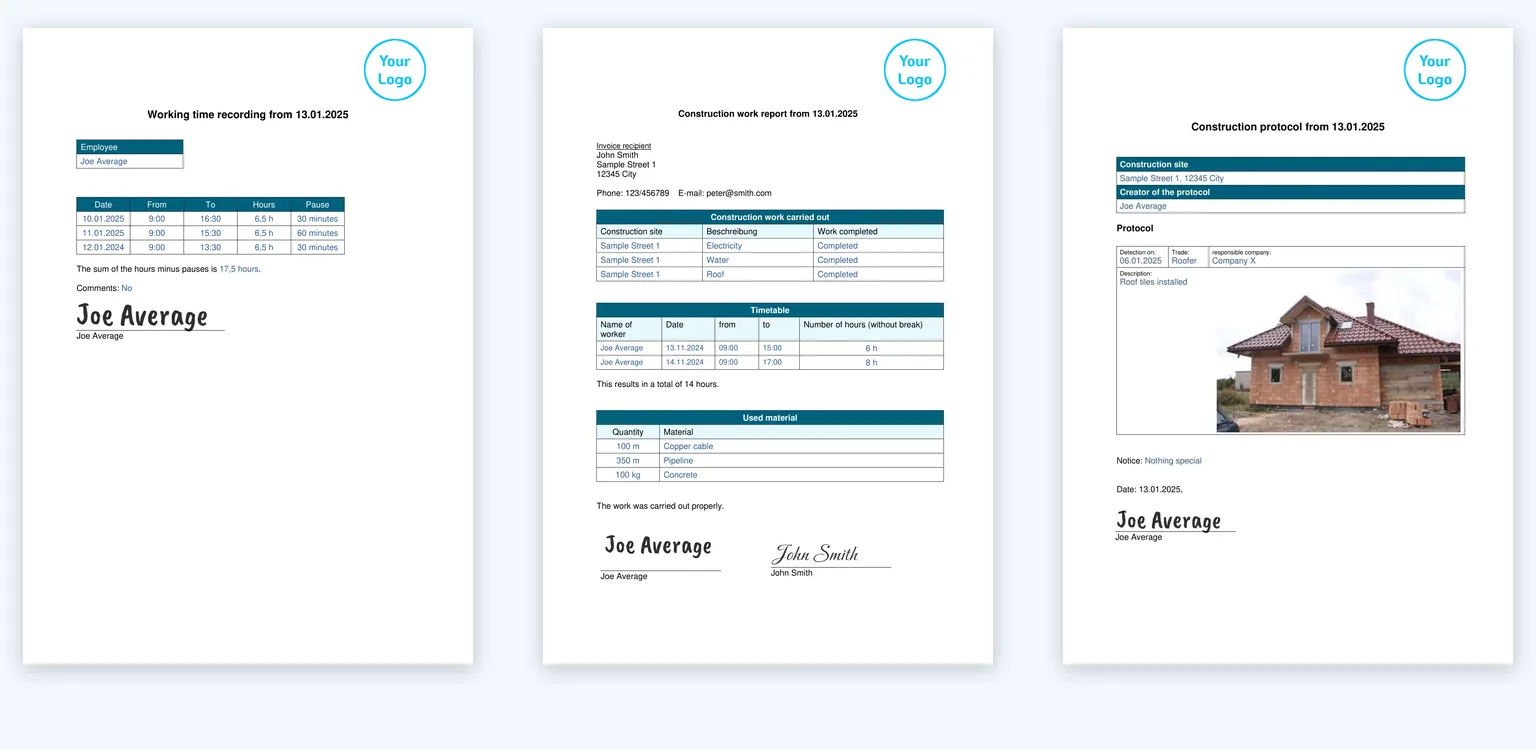
Already have your own form? Send it to us as a paper, PDF or Word form. We'll set up your first template for free.
Conclusion
Using less paper starts with a number: which forms do you need how often? Switch the most frequent one first. It saves paper, but above all trips, retyping and searching.
Questions about saving paper
Short answers to the most common questions. We answer any others personally.
How can I save paper in my business?
First count which forms are used how often and switch the most frequent ones to digital forms. For what you keep printing: double-sided as the default, and only print what is really needed.
How much paper does a business use?
It depends on employees, jobs and forms. A flat figure would be a guess. Work it out yourself: pages per form × forms per week × 52.
Which forms should I digitise first?
Those that are filled in often, always have the same structure and are retyped or filed in the office. Typical: timesheets, work reports and inspection reports.
Does a digital form really save paper?
Yes, as long as the result isn't printed out again. The PDF is emailed and stays digital. If you print every PDF, you save nothing.
Does the digital form work without internet?
Yes. The app works offline. The finished form is sent as soon as the device is back online.
Which form will you switch first?
Ready-made templates for timesheets, work reports, inspection reports and checklists – ready to use and easy to adapt.
Get started now
Your next job.
Paperless.
Next job, the report is done before your team is back in the car.
14 days free · No contract · Your first form set up for you